

How It Works
When you start a Test Run:- Source and Sink nodes become stubs — Instead of connecting to real Kafka topics or databases, they become interactive endpoints
- The pipeline runs synchronously — Data flows through immediately, making it easy to follow
- Every node tracks inputs and outputs — You can inspect what each node received and produced
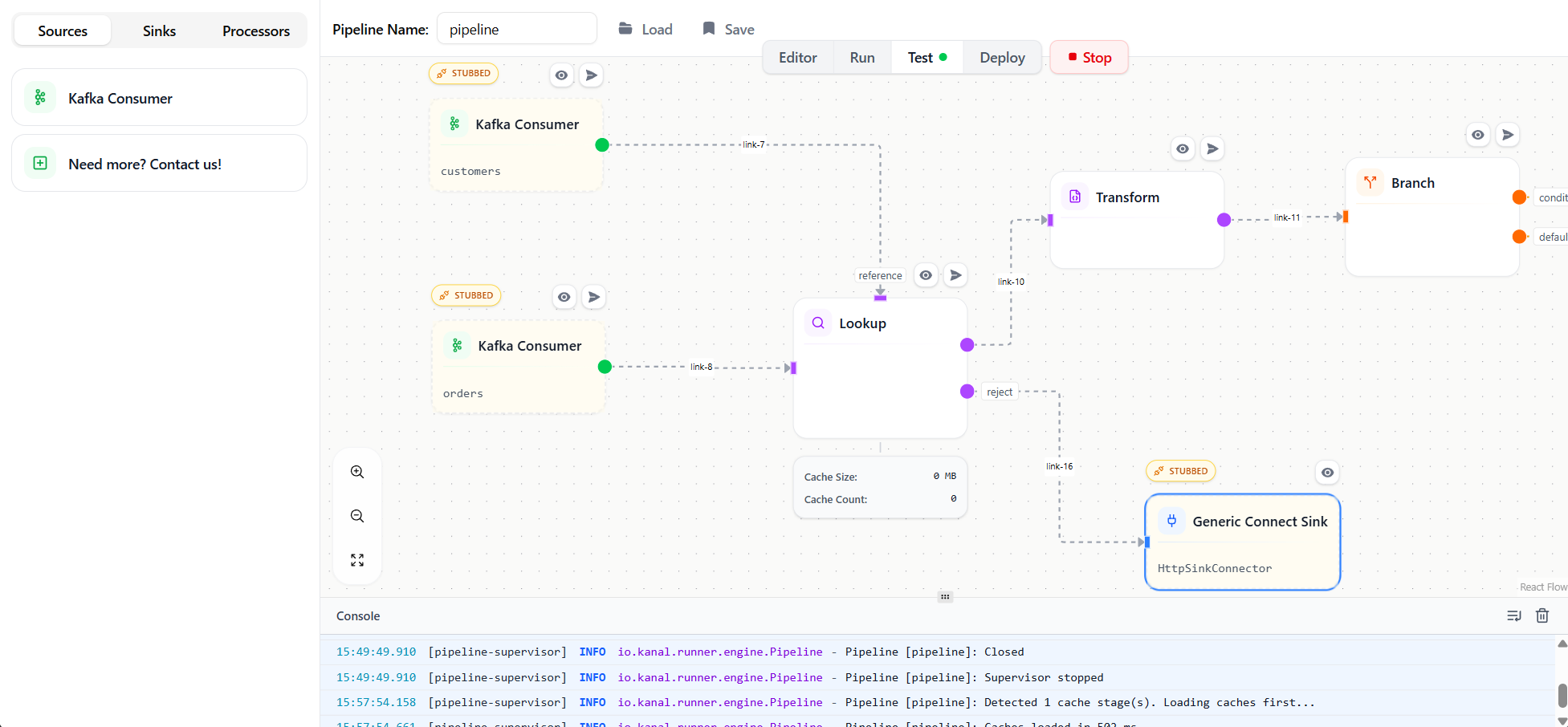
Starting a Test Run
- Click the Test Run button in the toolbar (or use the dropdown next to Play)
- The pipeline enters test mode — you’ll see stub indicators on source and sink nodes
- Source nodes display an input area where you can push JSON messages
Pushing Test Data
With Test Run active, each source node shows a JSON input panel:Inspecting Node I/O
After sending a message, every node displays its input and output data:Sink Stub Behavior
Sink nodes in Test Run mode:- Display all records they would have written
- Show the exact payload that would go to Kafka, databases, or external systems
- Allow you to verify output format before connecting to real systems
Selective Stubbing
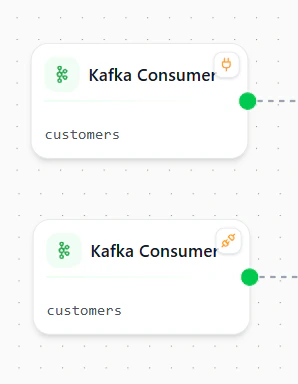
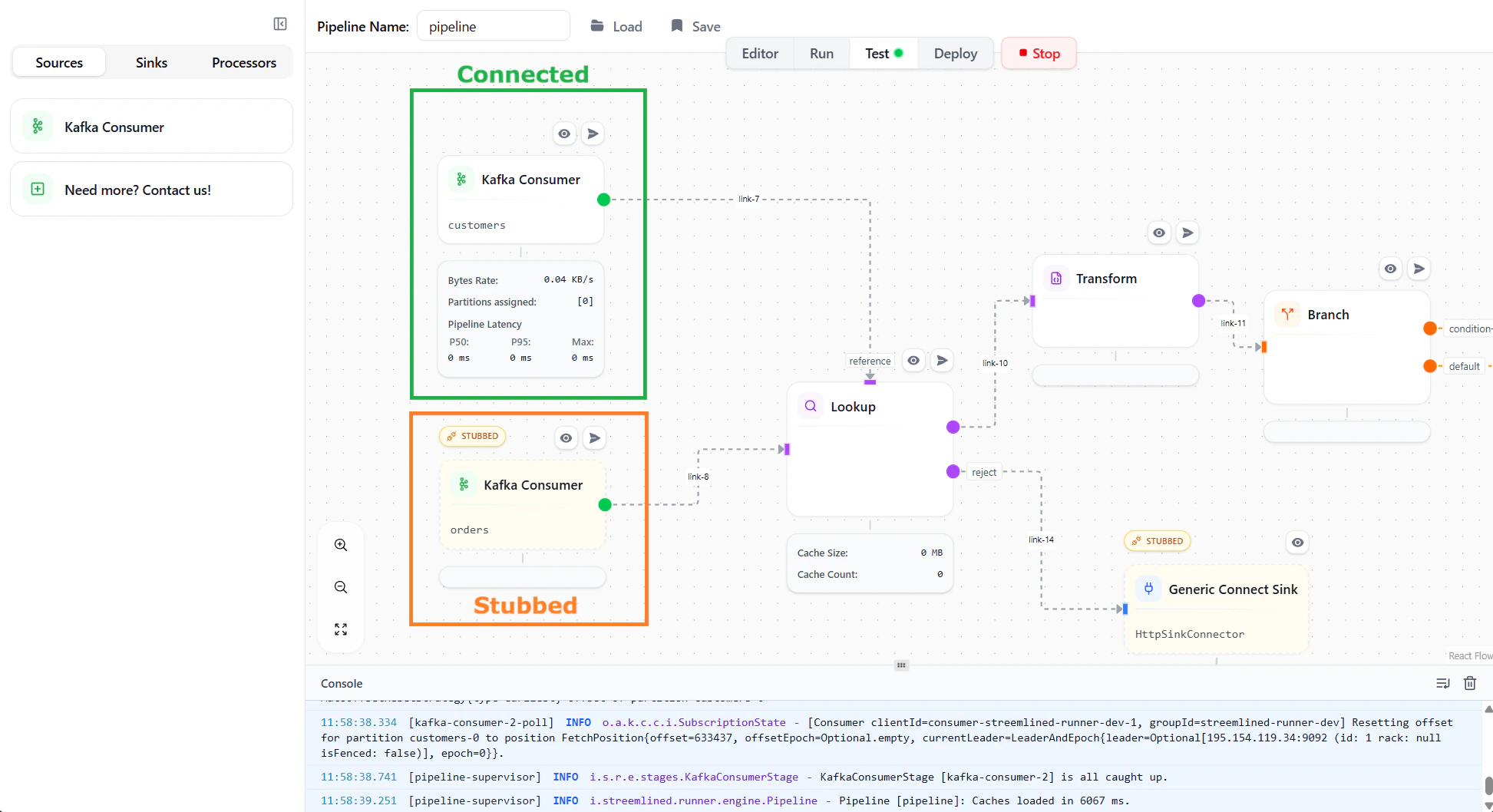
By default, all sources and sinks are stubbed during a Test Run. You can toggle individual nodes between stubbed and connected to mix real integrations with test endpoints. Mouse over any source or sink node to make the stub indicator appear:- Stubbed — the node behaves as an interactive test endpoint (default)
- Connected — the node connects to its real Kafka topic or database
Benefits
No External Dependencies
Test without Kafka, databases, or other systems running
Instant Feedback
See results immediately as data flows synchronously
Full Visibility
Inspect every transformation step with detailed I/O logs
Safe Iteration
Experiment freely without affecting real data
Best Practices
Use Test Run during development
Use Test Run during development
Use Test Run mode to interactively build and debug your transformations. Once you’re confident in the logic, codify the scenarios as Pipeline Tests for CI/CD.
Test edge cases interactively
Test edge cases interactively
Try various inputs including:
- Empty arrays and null values
- Missing optional fields
- Boundary conditions (e.g., exactly at threshold values)
- Invalid data that should be rejected
Verify branch routing
Verify branch routing
For pipelines with Branch nodes, test messages that should route to each output to ensure your conditions work as expected.
Next Steps
Pipeline Tests
Automate testing with YAML test definitions
Deploy Pipelines
Deploy your tested pipeline to production